



Answers organised around decisions
A useful resource should help a school decide what to ask next, not simply add more promotional material.
Explore the structure, practical outcomes and distinctive moments that define the Resources & FAQs experience.
Can a school begin with a limited scope?
A school may start with a selected grade band, subject, robotics pathway or platform workflow before considering wider connection.
How do books relate to the digital platform?
Printed curriculum can stand as the primary resource while selected explanations, activities, assessment and teacher support extend its use.
What should be clarified before rollout?
Priorities, current systems, responsible roles, training needs, data readiness and a realistic review point should be identified first.
Where does AI fit in the learning process?
AI can support explanation or pattern recognition, but teacher oversight, permissions and the intended academic purpose remain essential.
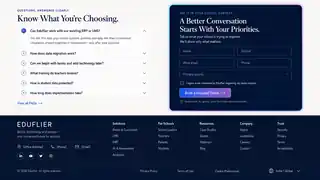

Move from information to a relevant demonstration
The school demo begins with your context and shows only the Eduflier capabilities connected to that need.
Share grades, priorities and current workflows so the conversation can be prepared rather than improvised.
Prepare your school demoResources & FAQs film
See the complete Resources & FAQs journey in motion.
The Resources & FAQs film will introduce the experience, show its practical moments and explain the next step without autoplay.
Captions · transcript · user-controlled playbackResolve a specific question
Send the decision your team is currently trying to make and receive a more relevant response.
The enquiry can cover learning programmes, technology, implementation or the relationship among them.